Set up sync
dol stores nothing.
Your notes stay on your own machine.
Turn sync on and they move through a CouchDB database you own.
Before you start
The quickest way to get a CouchDB you don't have to run yourself is IBM Cloudant. It speaks the CouchDB protocol, and its Lite plan — free as things stand — is far more than a pile of markdown will ever need. Setting it up takes about five minutes.
Already running your own CouchDB? Skip to what goes in dol — you can paste your address straight in.
The plan is IBM's to change, so check what they currently offer before you lean on it.
Set up Cloudant
-
Find Cloudant in the catalog
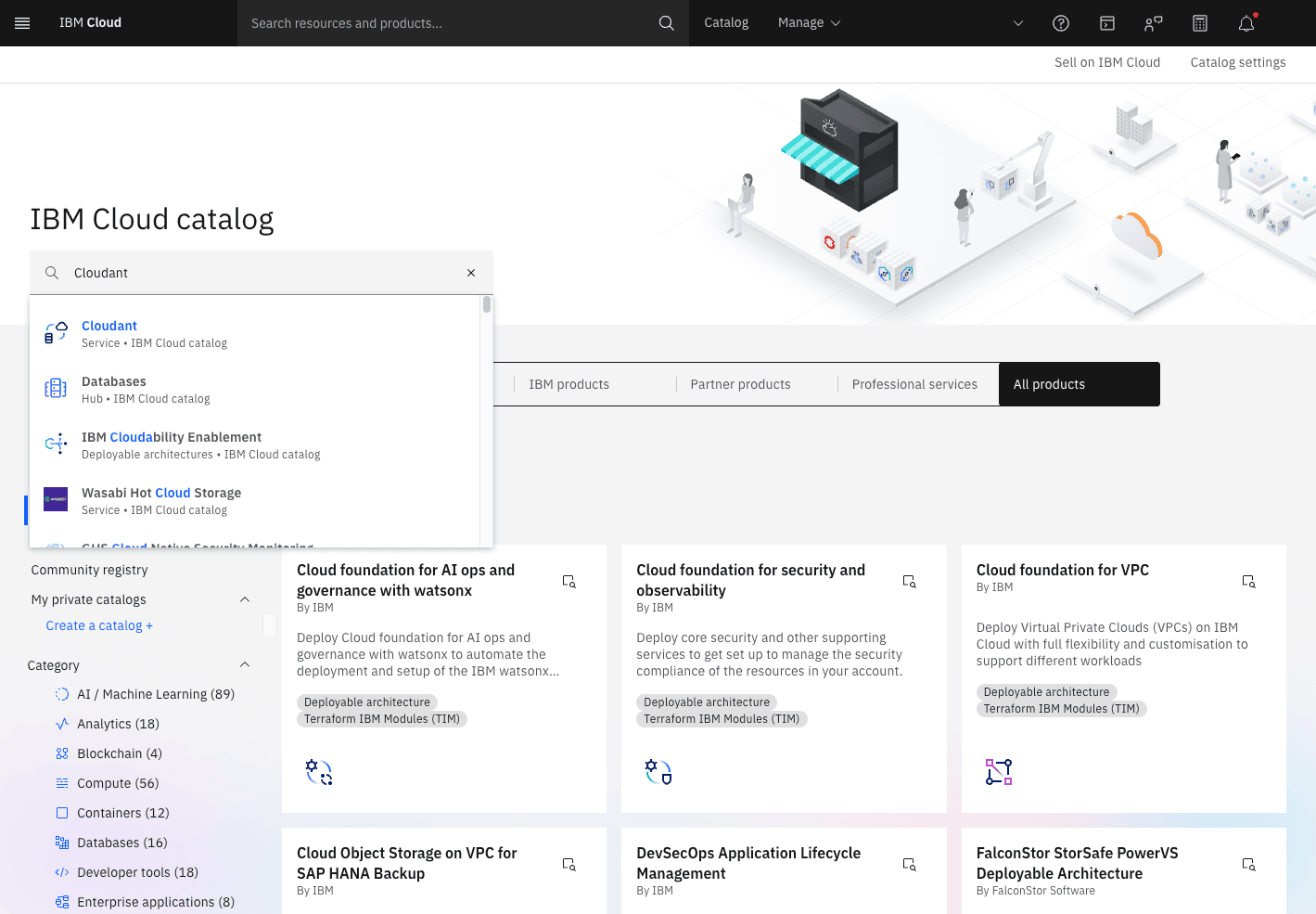
Sign in at cloud.ibm.com, search Cloudant in the Catalog, and click it.
-
Pick a region
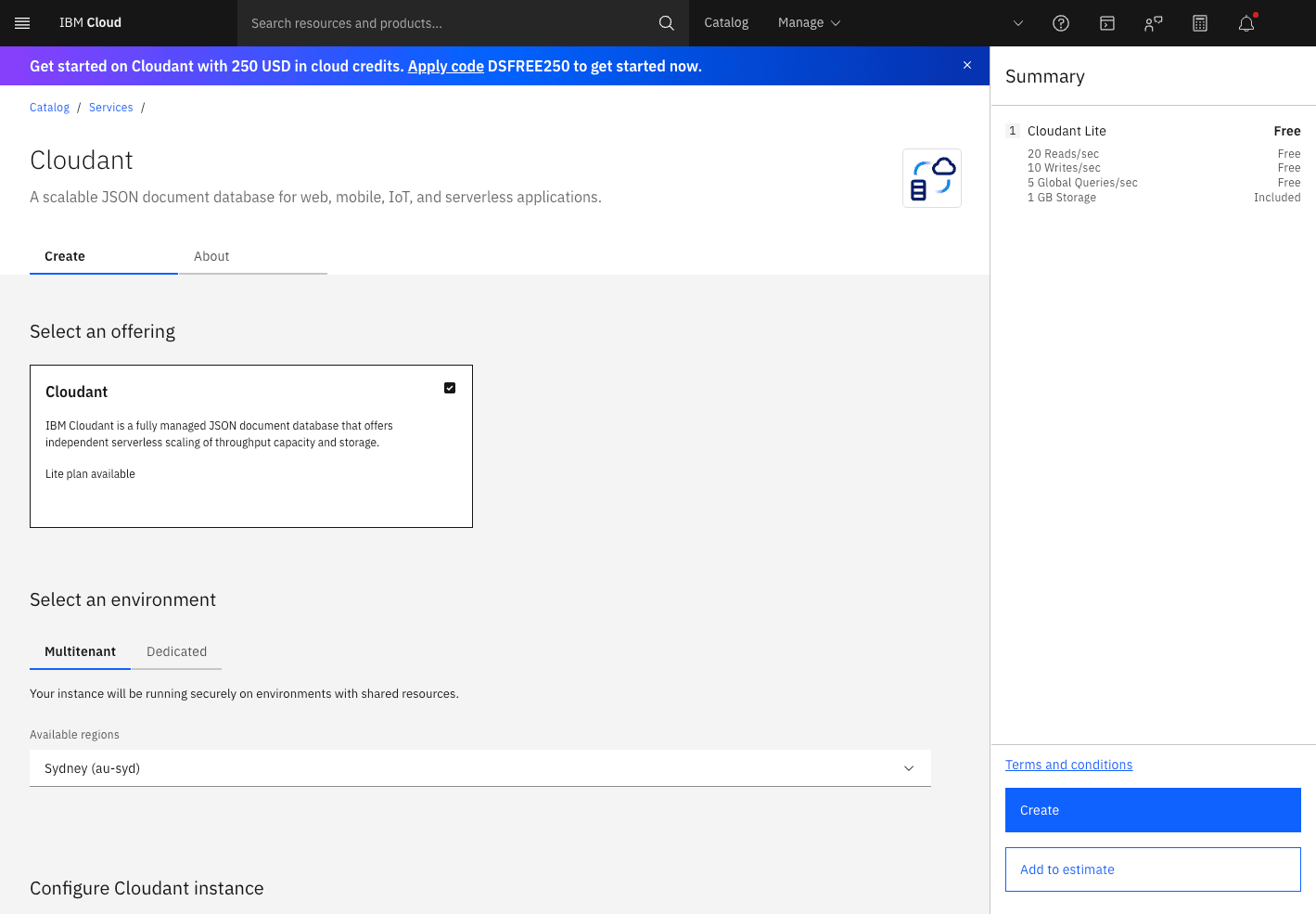
Leave the environment on Multitenant and choose the region closest to you.
-
Name it, and get the authentication right
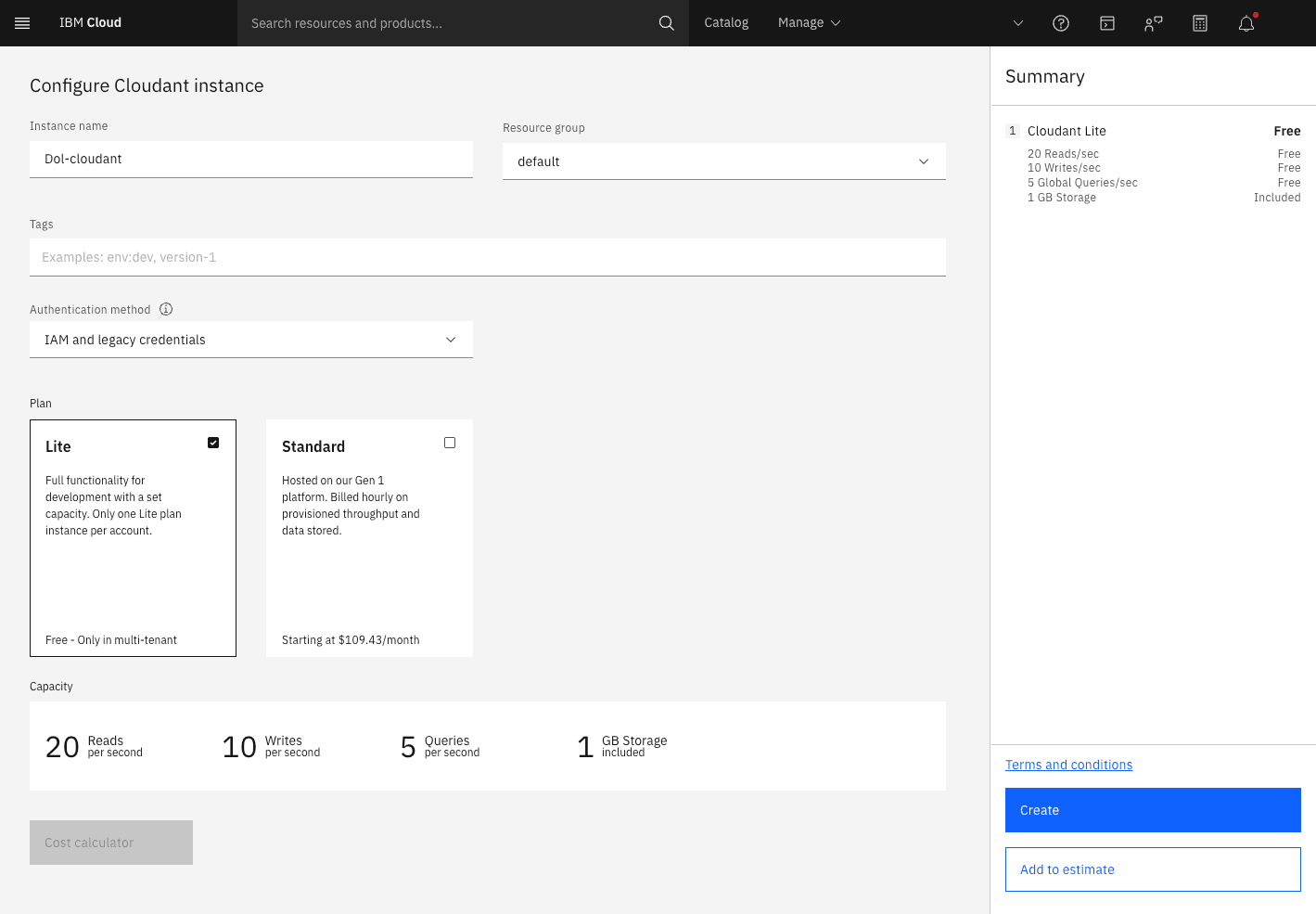
- Instance name — anything you like.
- Authentication method — IAM and legacy credentials. dol signs in with
usernameandpassword, which “IAM only” switches off. - Plan — Lite. One per account, free as things stand. (1 GB, 20 reads and 10 writes a second — when this was written)
Then hit Create.
-
Wait for Active
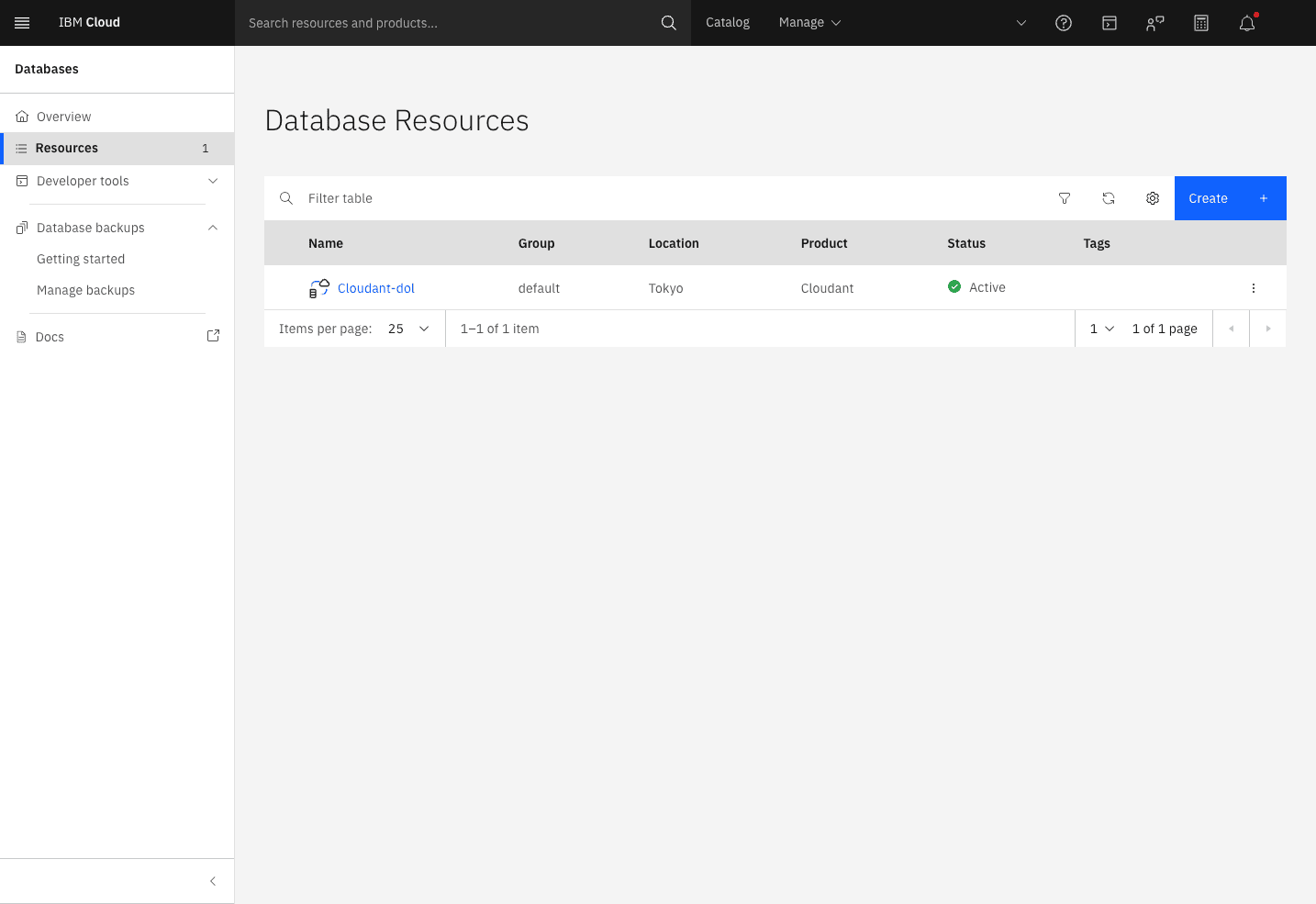
The instance shows up in your resource list. It goes green after a minute or so.
-
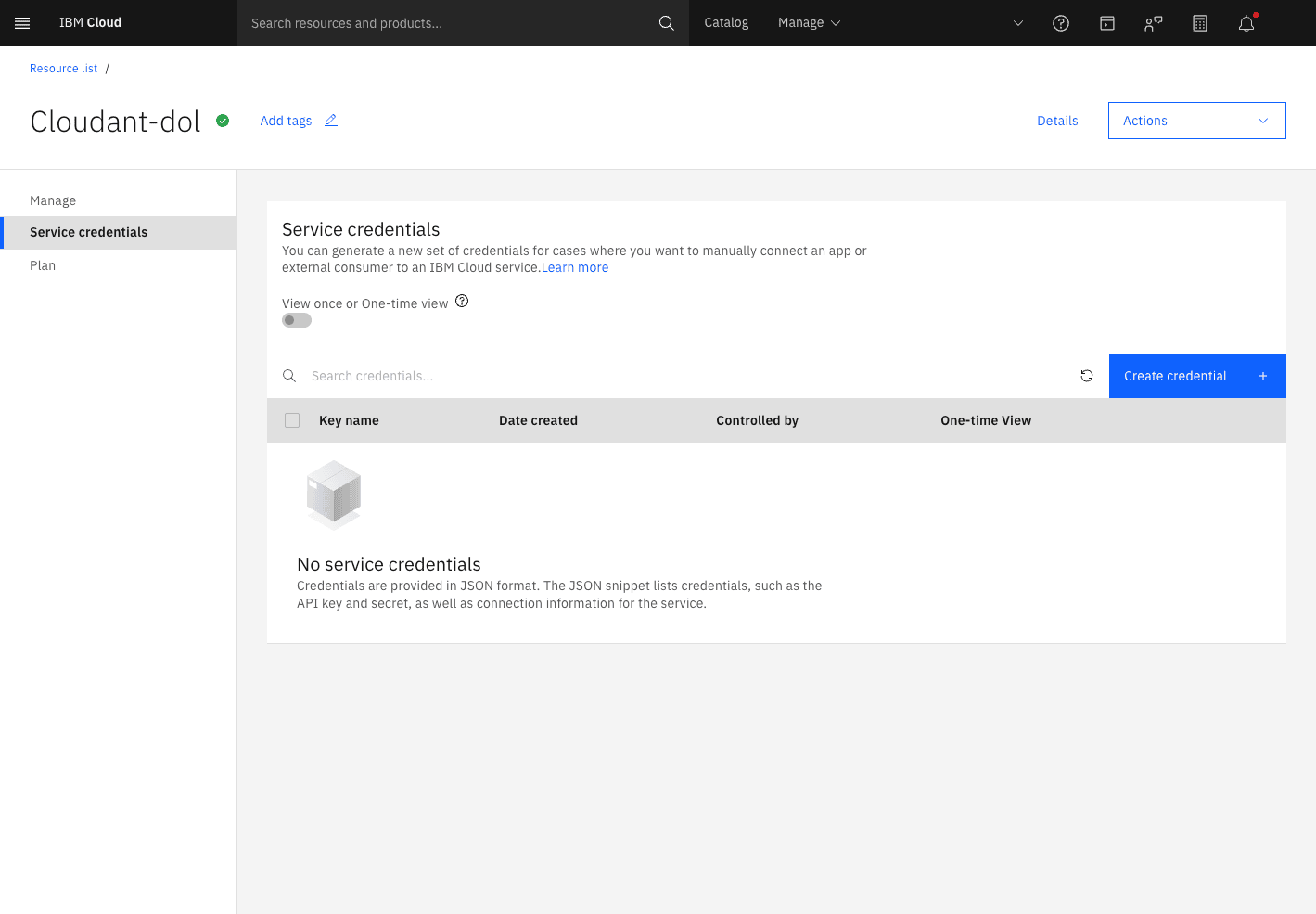
Open Service credentials
Click into the instance, then Service credentials in the left rail. It's empty to begin with — hit Create credential.
-
Create the credential
Name it whatever you'll recognise later.
Set the role to Manager — dol has to create, update and delete documents.
Leave Service ID on Auto Generate.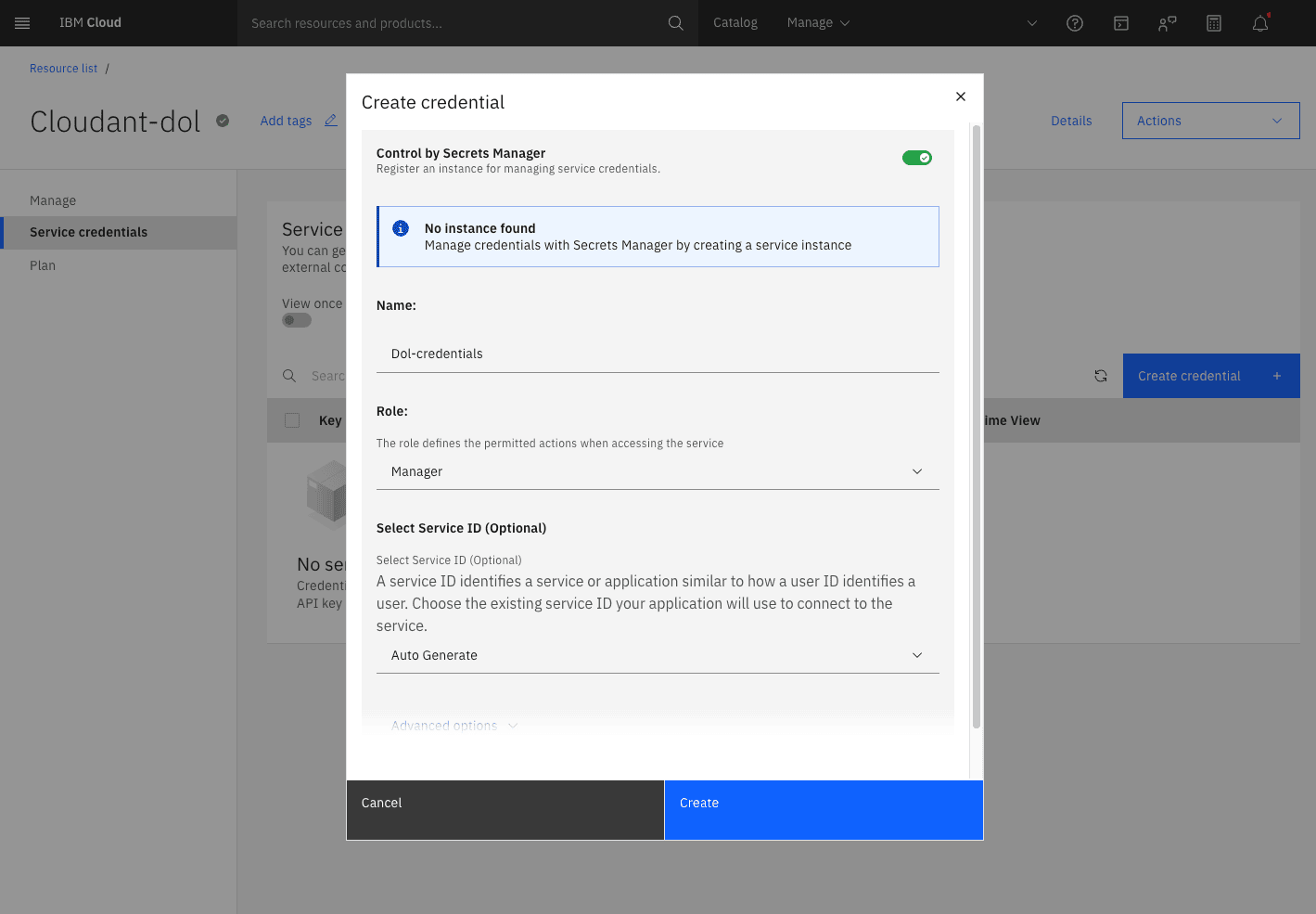
-
Copy the credential
Expand the credential you just made and copy it. It doesn't have to be the whole block — but
host,usernameandpasswordhave to be in what you copy.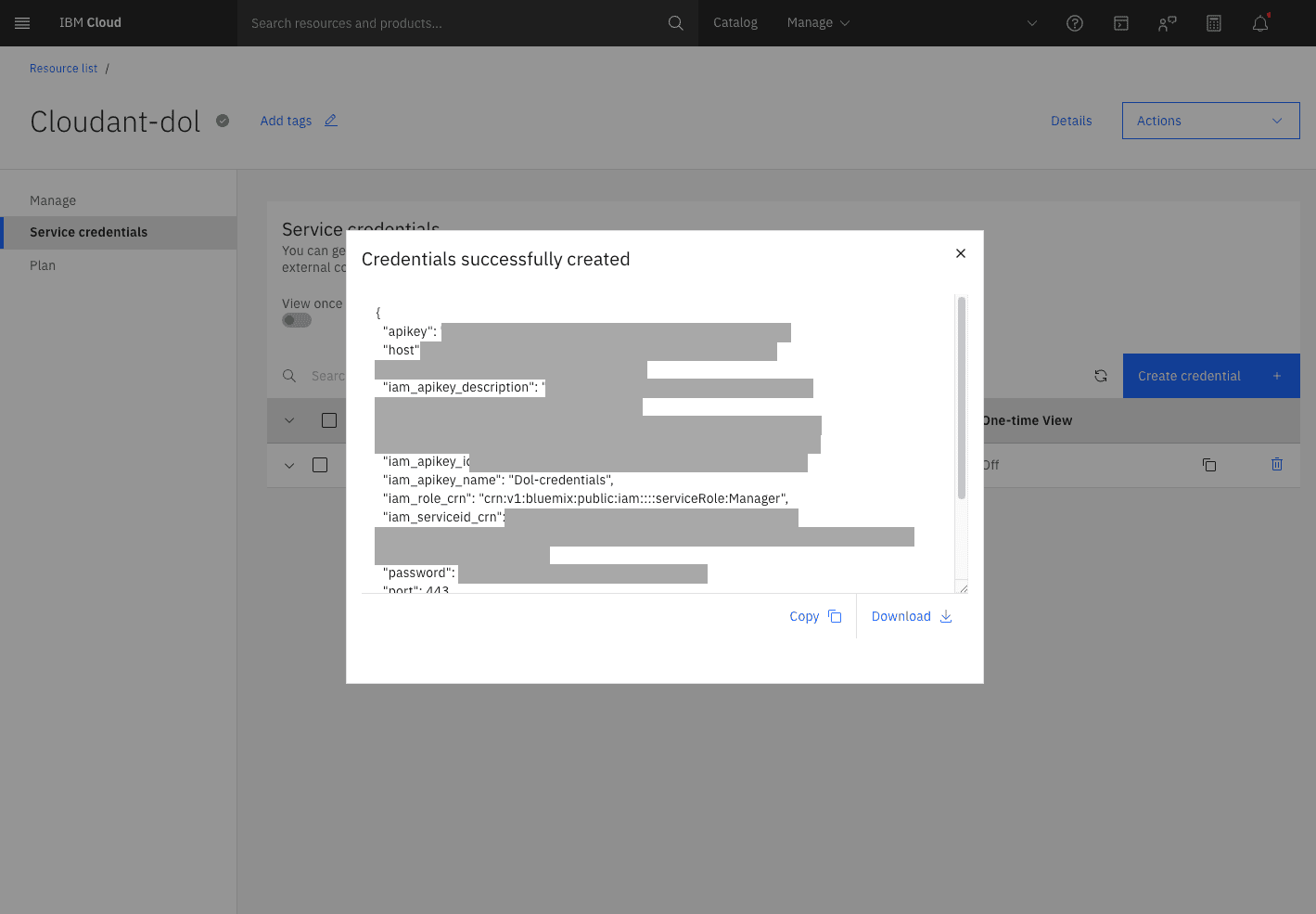
This JSON is the key to your notes
Anyone holding it can read and rewrite everything in the database. Never put it anywhere someone else can see. If a credential does get out, delete it on this page and create a new one — the database itself is untouched.
What goes in dol
Open Settings → Sync and switch sync on. There are two things to fill in:
| Field | Value |
|---|---|
| Paste credentials | the JSON you copied in step 7 |
| Database | notes |
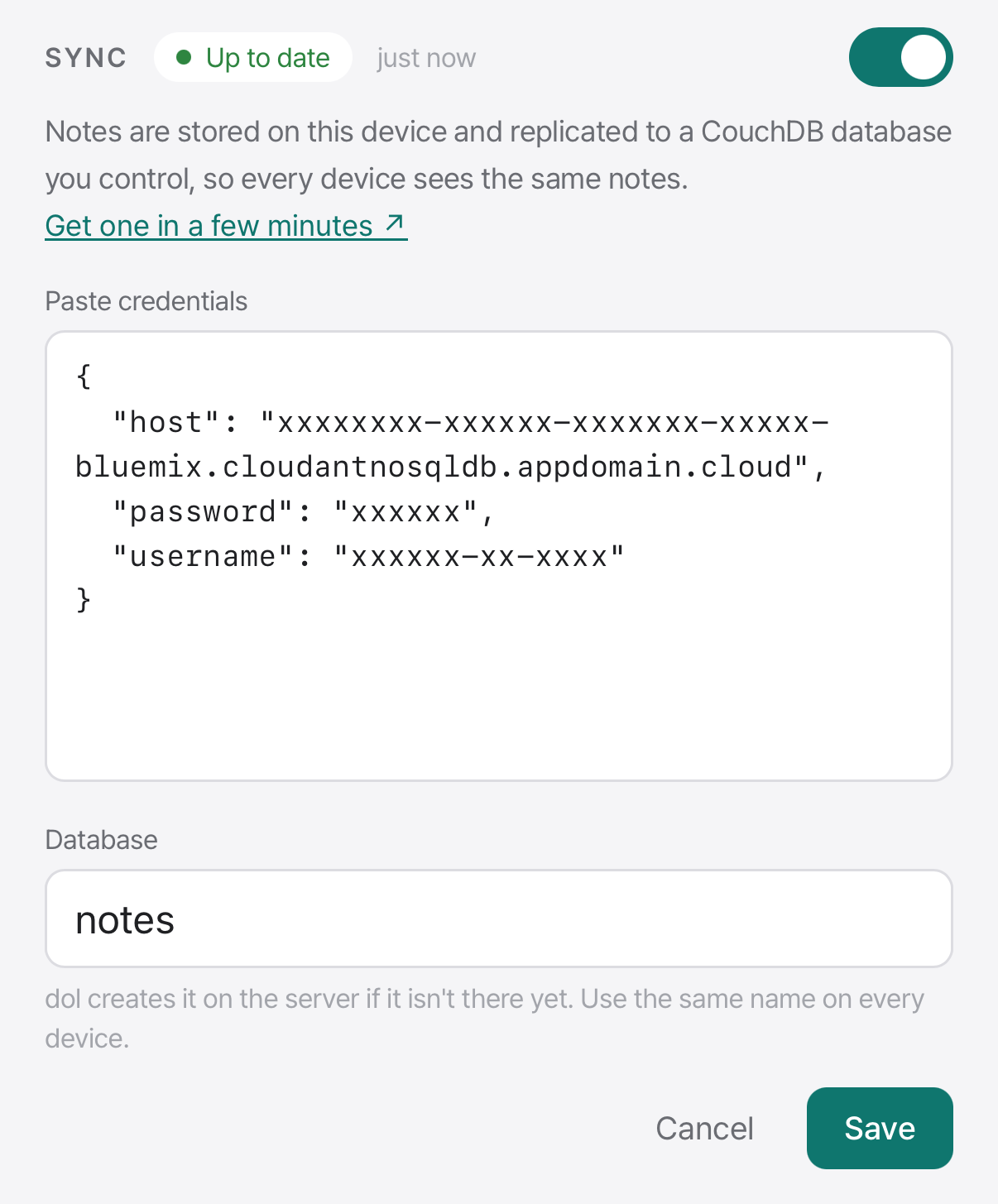
Then hit Save. dol pulls host, username and password out of the JSON, creates the notes database on the server if it isn't there yet, and starts replicating.
Check the database name
Even with the same credential, a different database name sends each device to a different place. Nothing errors — both look like they're syncing fine — but neither will ever see the other's notes.
Replication starts on its own and keeps running in the background. The credentials go into the OS keychain — Keychain on macOS, Credential Manager on Windows — not into a config file next to your notes.
The second device
Install dol, open Settings, and paste the same credential with the same database name. Once the first sync is done, an edit on either machine saves itself and shows up on the other within seconds.